MEPCO Bill Check by CNIC – How to Check Without Reference Number
Lost your bill and cannot remember your reference number? Many consumers look for a way to do a MEPCO bill check by CNIC. This guide explains what the official billing system actually allows, how your CNIC can help you find your 14-digit reference number, and how to check your bill once you have it.
In this guide:
- Is MEPCO bill check by CNIC possible?
- What is the MEPCO reference number?
- Find your reference number with CNIC
- Register your CNIC with MEPCO
- Check your bill after you find the number
- Frequently asked questions
MEPCO Bill Check by CNIC: Is It Possible?
No. The official MEPCO Web Bill page, which is run by the Power Information Technology Company (PITC), offers only two search options: Reference No and Customer ID. There is no option for a MEPCO bill online check by CNIC, name or meter number.
Websites or apps that promise to show a MEPCO bill directly from a CNIC number cannot do this through the official billing system. Your CNIC is still useful, because it can help you recover your reference number. After that, checking the bill takes only a few seconds.
What Is the MEPCO Reference Number?
The reference number is the 14-digit number printed in the top section of every MEPCO bill. It identifies your electricity connection in the billing system, and it stays the same from month to month.
The bill also carries a Customer ID, which the official bill page accepts as well. If you have either of these two numbers, you do not need your CNIC at all. People usually look for a MEPCO bill check by CNIC only when the paper bill is lost and neither number is at hand.
How to Find Your MEPCO Reference Number With CNIC
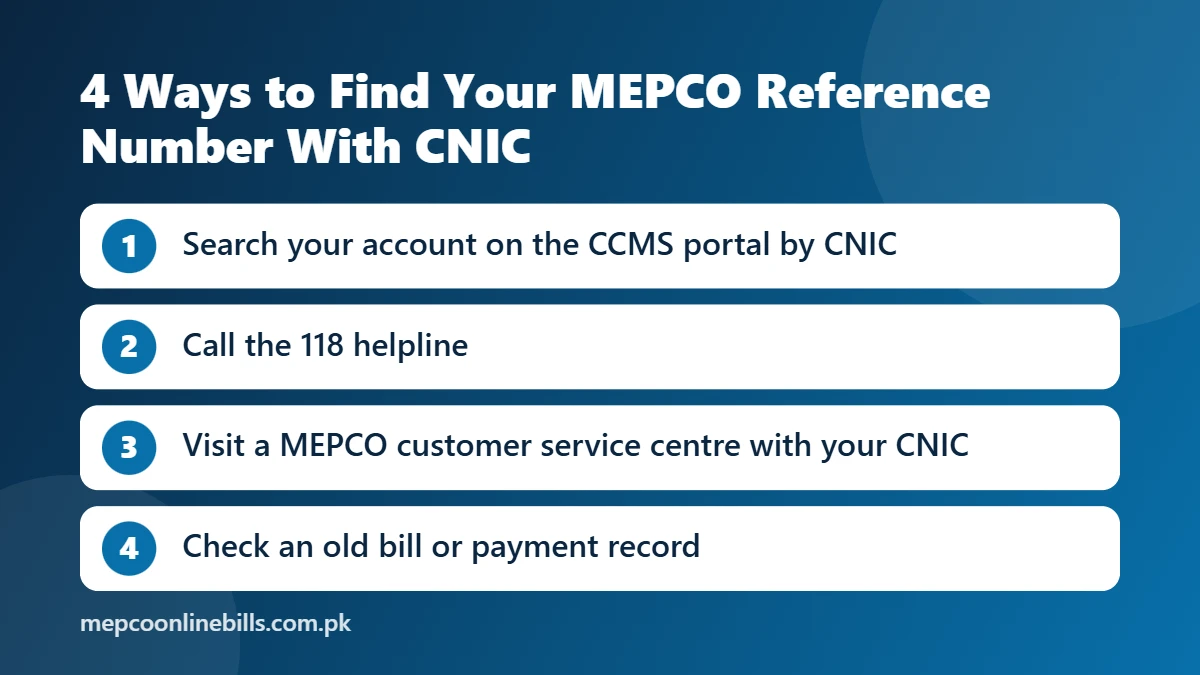
Since a direct MEPCO bill check by CNIC is not available, use any of the methods below to get your reference number. Start with the first one, because it can be done online.
1. Look Up Your Account on the CCMS Portal
The Customer Complaint Management System (CCMS) is the official complaint portal used by MEPCO. Its complaint form has a search box that accepts a Reference No, a Contact No or a CNIC.
- Open ccms.pitc.com.pk and select Register Your Complaint.
- In the search type list, choose CNIC. You can choose Contact No instead if your mobile number is registered.
- Enter your CNIC number and search.
- If your CNIC is registered against your connection, your account should appear in the “Select an account” list. Note down the 14-digit reference number shown there.
You can close the page after noting the number. There is no need to submit the complaint form. If nothing appears, your CNIC is probably not linked with the connection yet, so try the next methods.
2. Call the 118 Helpline
Call 118, the power complaint helpline used by MEPCO consumers. Tell the agent that you have lost your reference number. Keep your CNIC, the name on the connection and the full address ready so the agent can try to trace your connection. Our MEPCO complaint number guide lists the other helpline numbers.
3. Visit a MEPCO Customer Service Centre
Take your original CNIC to the customer service centre or subdivision office of your area. According to MEPCO, duplicate bills are available at its customer service centres, and the duplicate bill carries your reference number.
4. Check an Old Bill or Payment Record
You can find the reference number on any old paper bill, on a bank or post office payment receipt, or in the bill payment history of your banking or mobile wallet app.
Register Your CNIC With MEPCO
MEPCO has an official CNIC registration service that links your electricity account with your CNIC. MEPCO says this helps it provide faster support and updates to consumers. You will find the “Register CNIC” link on the CNIC Registration page of the official MEPCO website.
Registering keeps your record up to date and makes it easier to trace your account in future. If you live in a rented house, the official MEPCO SMART app also has an “Update Tenant CNIC” option for updating the tenant’s name, CNIC, phone number and email.
How to Check Your Bill After You Find the Reference Number
- Go to our MEPCO bill check page.
- Enter your 14-digit reference number. You can also switch to Customer ID and enter that instead.
- Press Check Bill. Your latest bill opens from the official PITC billing system in a new tab.
- Download or print it if you need a copy. Our MEPCO duplicate bill guide explains how.
Tick “Remember this number” on the tool so that you do not have to look for the reference number again next month.
MEPCO Bill Check by Name or Meter Number
The same rule applies here. The official bill page does not search by consumer name or meter number. If you only know the name on the connection or the meter number, use the methods above to get the reference number first.
Keep Your CNIC Safe
Only enter your CNIC on official portals, such as the CCMS complaint portal or the CNIC registration link on the official MEPCO website. You do not need to enter a CNIC anywhere on our website.
Be careful with any website, app or caller that asks for your CNIC, a fee or a one-time code in return for a MEPCO bill check by CNIC. The official complaint portal asks consumers to report suspicious calls and messages on 118.
Frequently Asked Questions
Can I do a MEPCO bill online check by CNIC?
Not directly. A MEPCO bill check by CNIC is not available on the official bill page, which accepts only a reference number or a Customer ID. You can use your CNIC to find your reference number through the CCMS portal, the 118 helpline or a MEPCO customer service centre.
How can I check my MEPCO bill without a reference number?
Use your Customer ID instead, which is also printed on the bill. If you have neither, recover the reference number with your CNIC by following the methods in this guide.
Where is the reference number written on a MEPCO bill?
It is the 14-digit number printed in the top section of the bill, labelled “Reference No”.
Can I check a MEPCO bill by name or meter number?
No. The official bill page has no search by name or meter number. Get the reference number first, then check the bill.
Is this the official MEPCO website?
No. This is an independent informational website. Bills opened through our tool come from the official PITC billing system.
Related Guides
A MEPCO bill online check by CNIC is not possible, but these guides cover the next steps once you have your reference number: