MEPCO Duplicate Bill – Download and Print Online
Did not receive your electricity bill, or lost the paper copy? You can get a MEPCO duplicate bill online in less than a minute. All you need is your 14-digit reference number or your Customer ID. This guide explains how to view, download and print it.
In this guide:
- What is a MEPCO duplicate bill?
- How to get a MEPCO duplicate bill online
- Download the bill as PDF
- Print the bill
- Can you pay with a duplicate bill?
- Bill not opening? Try these fixes
- Frequently asked questions
What Is a MEPCO Duplicate Bill?
A duplicate bill is a copy of your current electricity bill taken from the billing system. It shows the same details as the paper bill delivered to your home: the consumer name and address, reference number, billing month, units consumed, payable amount, due date and the amount payable after the due date.
You may need a MEPCO duplicate bill when:
- the paper bill was not delivered, or arrived too close to the due date
- the bill is lost, torn or unreadable
- you live in another city or abroad and want to check or pay the bill for your family
- you need a copy for your own record, your landlord or your office
How to Get a MEPCO Duplicate Bill Online
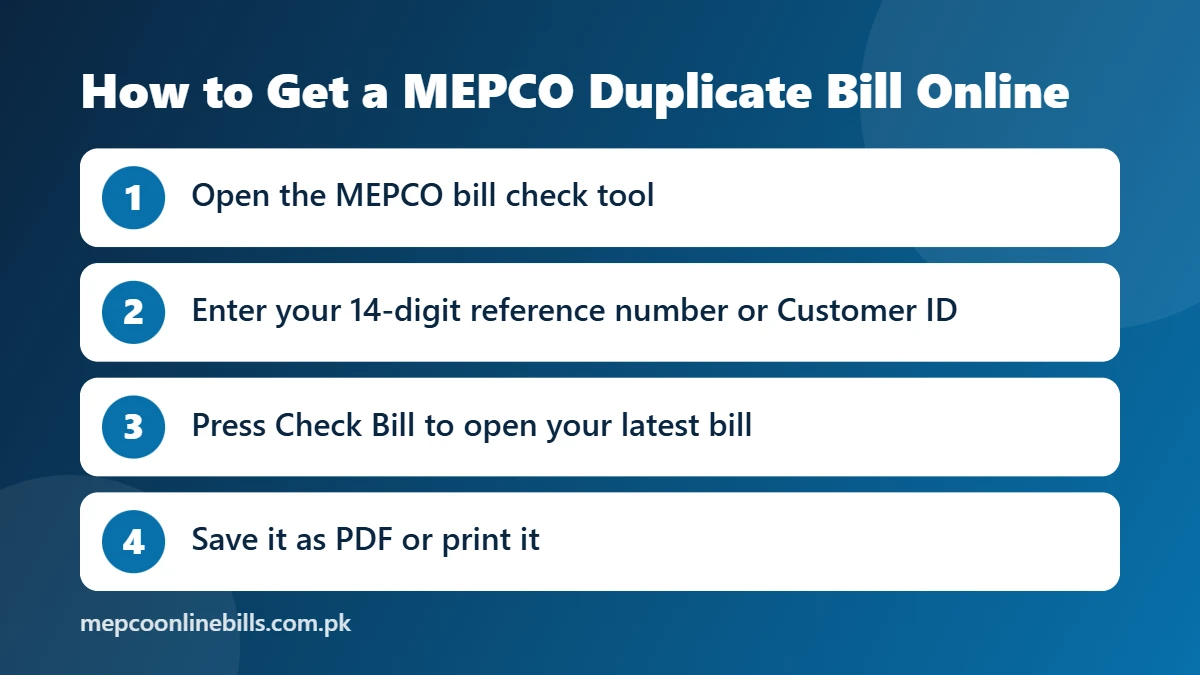
- Open our MEPCO bill check page.
- Select Reference Number and enter the 14 digits printed on any old bill. You can also switch to Customer ID.
- Press Check Bill. The bill opens from the official PITC billing system in a new tab.
- Check the name, billing month and amount to make sure it is the right connection.
You can also open the bill on the official MEPCO Web Bill page, which uses the same reference number or Customer ID.
How to Download the Duplicate Bill as PDF
- With the bill open, use the Print option. On a computer you can press Ctrl + P.
- In the printer list, choose “Save as PDF”.
- Press Save and pick a folder.
On a mobile phone, open the browser menu, tap Share or Print, and save the page as a PDF. Saving the MEPCO bill download every month also gives you a record of old bills.
How to Print the Duplicate Bill
Follow the same steps but choose your printer instead of “Save as PDF”. Print the complete page on A4 paper so that the reference number, amount and due date are clearly readable.
Can You Pay With a Duplicate Bill?
A clear printout shows the same reference number, amount and due date as the original bill, so it is commonly used to pay at bank branches. You can also pay without any printout through a banking or mobile wallet app by entering your reference number.
For safety, pay only through banks and official payment channels. The official complaint portal warns consumers never to send bill money to any individual’s account through Easypaisa, JazzCash or direct bank transfer.
MEPCO Duplicate Bill Not Opening? Try These Fixes
- Count the digits. The reference number has 14 digits and must be entered without spaces or dashes.
- If the official page says the reference number is invalid, compare each digit with an old bill and type it again.
- If nothing opens after you press Check Bill, allow pop-ups for this site in your browser and press the button again.
- Try your Customer ID instead of the reference number.
- If the page does not load at all, wait a few minutes and try again.
Duplicate Bill From a MEPCO Office
If you cannot go online, MEPCO states that duplicate bills are available at its customer service centres. If your bill often does not arrive on time, MEPCO advises contacting your subdivisional office.
Details to Check on Your Duplicate Bill
- Reference number and consumer name
- Billing month and due date
- Units consumed, with the present and previous meter readings
- Amount payable within the due date and after the due date
- Arrears, if any
- Bill history of the previous months. See our MEPCO old bill check guide.
To estimate next month’s amount from your units, use the MEPCO bill calculator.
Frequently Asked Questions
Is the MEPCO duplicate bill free?
Yes. Viewing and downloading your bill through our tool or the official bill page is free.
Is a duplicate bill different from the original bill?
No. It is a copy from the same billing system and carries the same reference number, amount and due date.
Can I get a MEPCO duplicate bill without a reference number?
You can use your Customer ID instead. If you have neither, see how to check a MEPCO bill by CNIC to recover your reference number.
Can I download the duplicate bill of a previous month?
The official page opens the latest bill only. Past months appear in the bill history table on that bill.
Who do I contact if my bill is wrong?
Contact your subdivision office or register a complaint. Our MEPCO complaint number guide lists the helpline numbers and the online method.